Disclaimer: This is an independent creative test made with AI, for demonstration only. It isn't an ad for any brand shown or named, and isn't affiliated with, sponsored or endorsed by them. All trademarks belong to their owners
GPT Image 2 - put your real product into any scene
Upload one real photo, keep the label correct, and move the same product into any setting
 Tested by Nouamane Benbrahim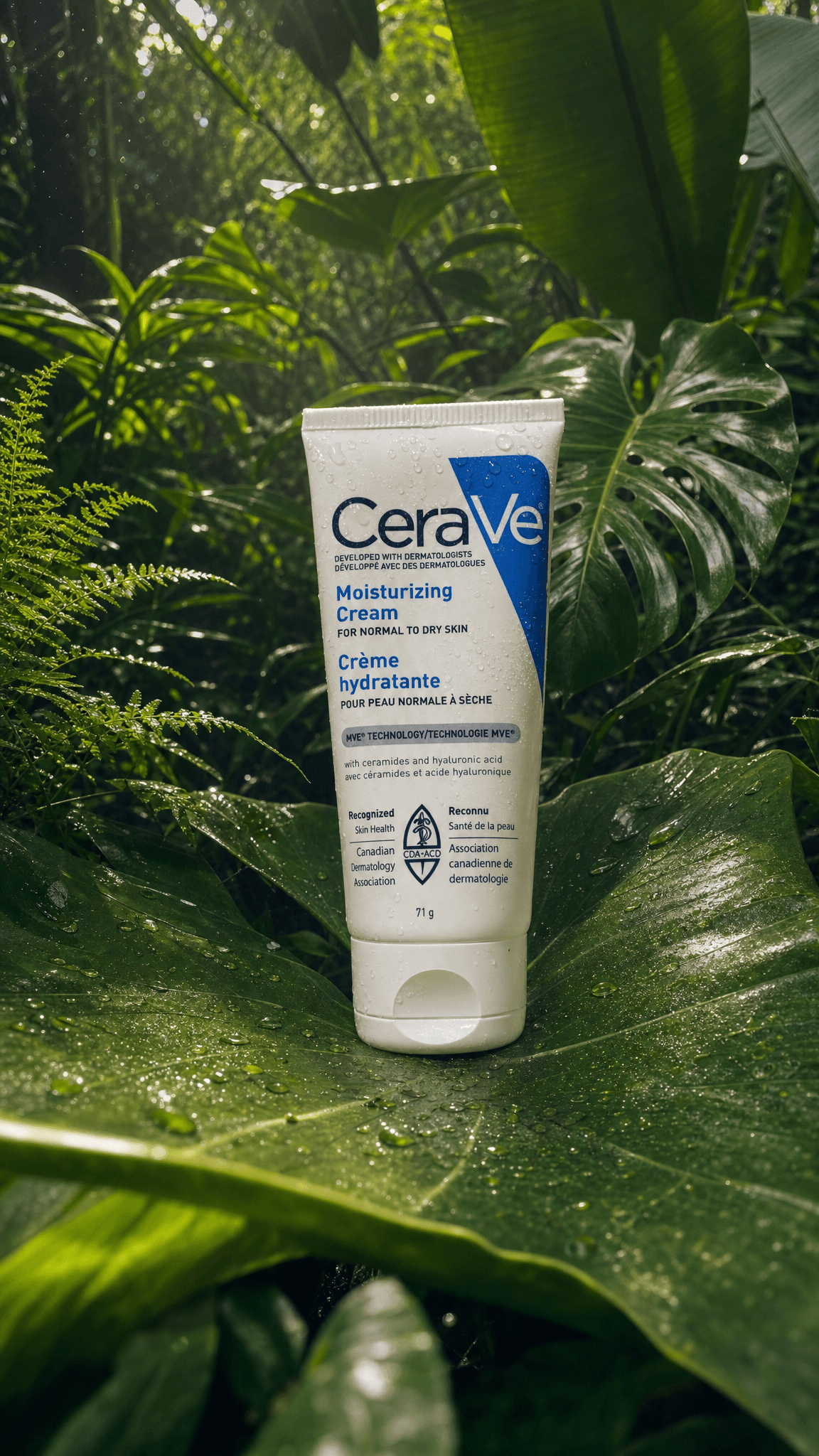
Ever notice how AI gets the product almost right, but the label comes out as gibberish?
The fix is simple: hand the model a real photo of the product and tell it to match that. I tested it with a moisturizer tube I had on my desk. One clean studio shot, then I dropped the same tube into a jungle. Not a client, just a test.
Here's my exact process.
1. Use a real photo, not a render
I uploaded an actual photo of the tube, straight on, label facing the camera. A real photo beats a 3D render here because the model won't invent sides it can't see. If your photo only shows the front, don't ask for a shot that spins around to the back, it'll make one up and get it wrong.
2. Give the photo one job
When I bring in a reference I tell the model exactly what it's for: "this image is the product, match it exactly." One job, stated plainly, so it copies the tube and nothing else.
3. Shoot the clean hero first
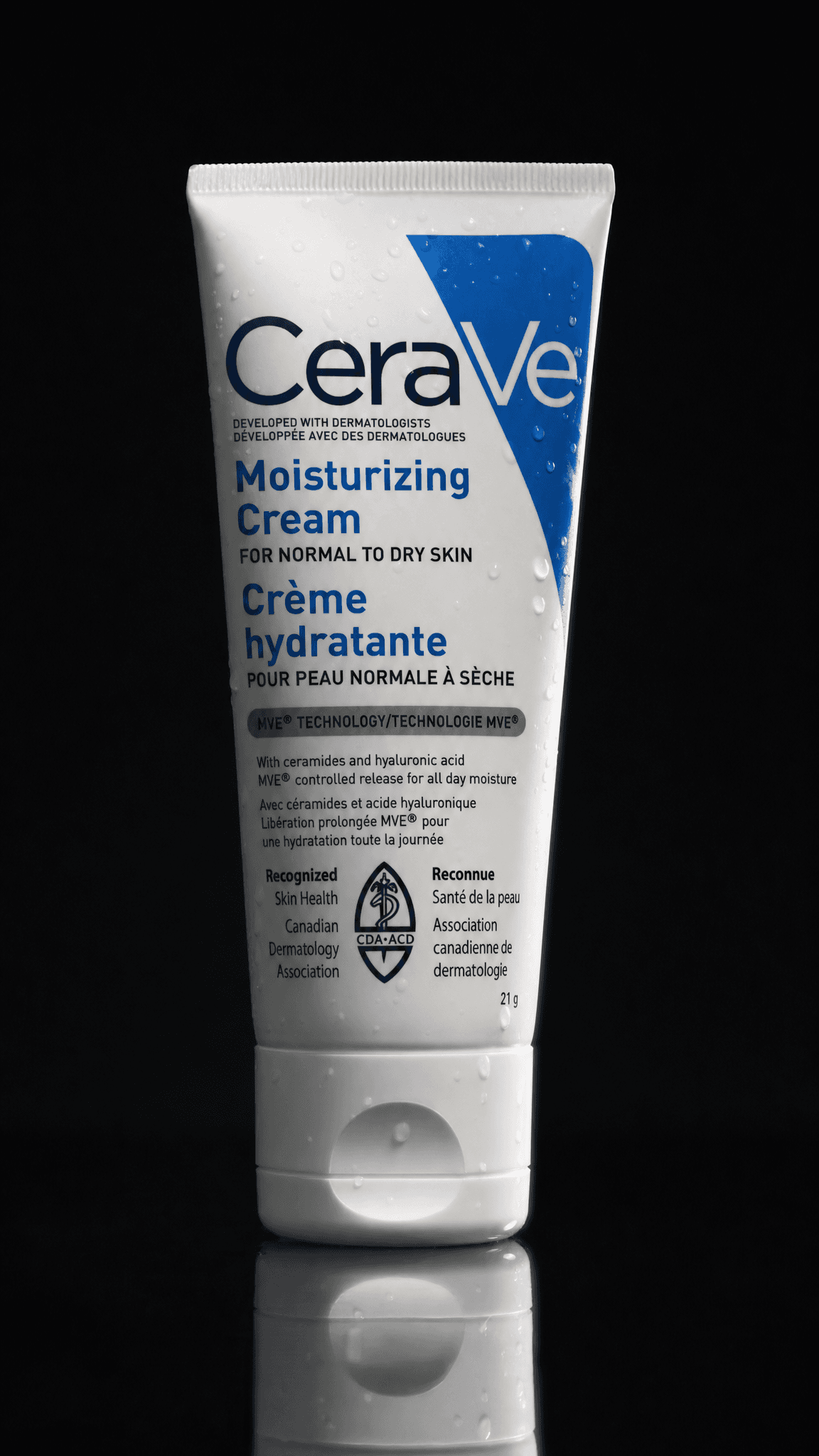
First I made the straightforward one: the tube on a near-black studio background, a soft key from the left, the label sharp and readable. I get this right before anything fancy, because if the label's wrong here it'll be wrong everywhere.
Exact prompt
Create a new photorealistic image. This is a professional product photograph of the cream bottle from the reference, shot in a studio from the start — preserve the bottle's exact shape, label, and text. THE VIBE: a high-end skincare campaign — clean, premium, aspirational, the kind of hero shot on a luxury brand's homepage. THE SUBJECT: the cream bottle, preserved exactly from the reference — same proportions, cap, pump/nozzle, and label text, matte finish catching soft light. THE SETTING: a deep, near-black studio void with a subtle reflective surface beneath the bottle. THE LIGHT: a soft key light from front-left carving gentle highlights along the bottle's curve, a faint rim light separating it from the dark background, a soft glow catching the cap. THE KEY DETAILS: a faint floor reflection, a few soft water droplets on the bottle, the label text crisp and legible. THE COMPOSITION: the bottle centered and large in a tight, intimate frame, generous negative space. Every element feels tactile and present — hyperreal, highly detailed. No blown-out highlights.
4. Then swap the whole scene
Now the fun part. I asked for the same tube resting on a big waxy leaf deep in a jungle, dappled light through the canopy, a few water droplets on it. The trick is to ask for it like a photo shot there from the start, not like the studio tube pasted onto a jungle. Because it had the real tube to copy, the label stayed correct even in the green light.
Exact prompt
Create a new photorealistic image. This is a photograph taken deep in a tropical jungle from the start — not a replacement or composite. Rebuild the entire scene as if shot natively here, with unified lighting across the product and environment. THE VIBE: a fresh, botanical skincare campaign — dewy, alive, natural and clean. The product feels born from nature, hydrating and pure, cradled by the greenery around it. THE SUBJECT: the white skincare cream tube, preserved exactly from the first reference — same proportions, flat crimped top, flip cap at the base, blue-and-white CeraVe label with the exact same text and logo, matte plastic finish. It rests upright, tilted slightly, nestled on the surface of a large broad tropical leaf. THE SETTING: dense jungle understory — huge glossy monstera and banana leaves layered in the background, ferns and vines, soft green depth falling into shade. A large waxy green leaf in the foreground holds the tube, its veins and surface texture crisp. THE LIGHT: warm dappled sunlight filtering through the canopy, soft shafts catching the top of the tube and the leaf edges, gentle contrast, deep green shadows in the background. The same sunlight lights both the tube and the foliage — specular glints on the tube match the wet sheen on the leaves. THE KEY DETAILS: fresh water droplets beading on the tube and scattered across the leaf surface, a few tiny dewdrops on nearby ferns, the label text crisp and legible, faint atmospheric haze and soft floating particles in the background light. THE MOOD: fresh, organic, luxurious-natural — a premium botanical hydration story. Rich green palette, warm highlights. THE COMPOSITION: the tube centered and prominent, large in the frame, resting on the leaf in the lower-middle third with adequate headroom; the jungle receding softly behind it with shallow depth of field, a foreground leaf edge out of focus framing the bottom. THE CAMERA: shot on an iPhone, natural daylight, mostly sharp on the tube with soft natural falloff into the background greenery. Every element feels tactile and present — hyperreal, highly detailed, dewy and fresh. No blown-out highlights.
One tip: the label reads cleanest when the product is mid-size or bigger in the frame. Shrink it into a corner and the text starts to melt.
Why it works
A model can't read your mind about a product it's never seen. Give it one clean, real photo and one clear job, and it copies your branding instead of guessing at it. After that you can put the tube anywhere, a studio, a jungle, a bathroom shelf, and it still looks like your product.
Your turn: take one straight-on photo of a product you own, upload it, and ask for it on a plain background first. Get the label right, then move it somewhere interesting.
And if you'd rather skip the prompting, Emero remembers your product and its reference photo so you're not re-uploading and re-explaining it every chat. Everything's at cost.

Get one of these every day
I test new workflows daily and send them with the exact prompts, the models and the costs
5,979 generations tested so far
More workflows
See all
GPT Image 2.5 Flare - fix one thing in an image without losing the rest
Change one detail in an AI image, like size, mood or pose, while the rest of the picture stays put
GPT Image 2.5 Flare · 2 min render
GPT Image 2.5 Flare - Gen Z slang taken literally
Turn slang like spill the tea, glazing and catfished into photos that show the words literally
GPT Image 2.5 Flare · 2 min render
GPT Image 2.5 Flare - old sayings turned into deadpan photos
Turn everyday sayings into realistic photos where one impossible thing happens and nobody reacts
GPT Image 2.5 Flare · 1 min render